

Types of Metrics
You can have different kinds of Metrics. Here’s a breakdown of the most common types:- Simple Metrics: These are direct calculations from existing data. Think of something straightforward like the sum of your total revenue.
- Calculated Metrics: These metrics combine other metrics using formulas. For example, Profit could be a calculated metric derived from subtracting “Cost” from “Revenue.”
- Ratios: Ratios involve dividing one metric by another. A classic example is Conversion Rate, calculated by dividing “Orders” by “Visits.”
- Time-based Metrics: These metrics incorporate time into their calculation, allowing you to analyze trends over periods. Examples include year-over-year growth or rolling averages.
Create a Metric
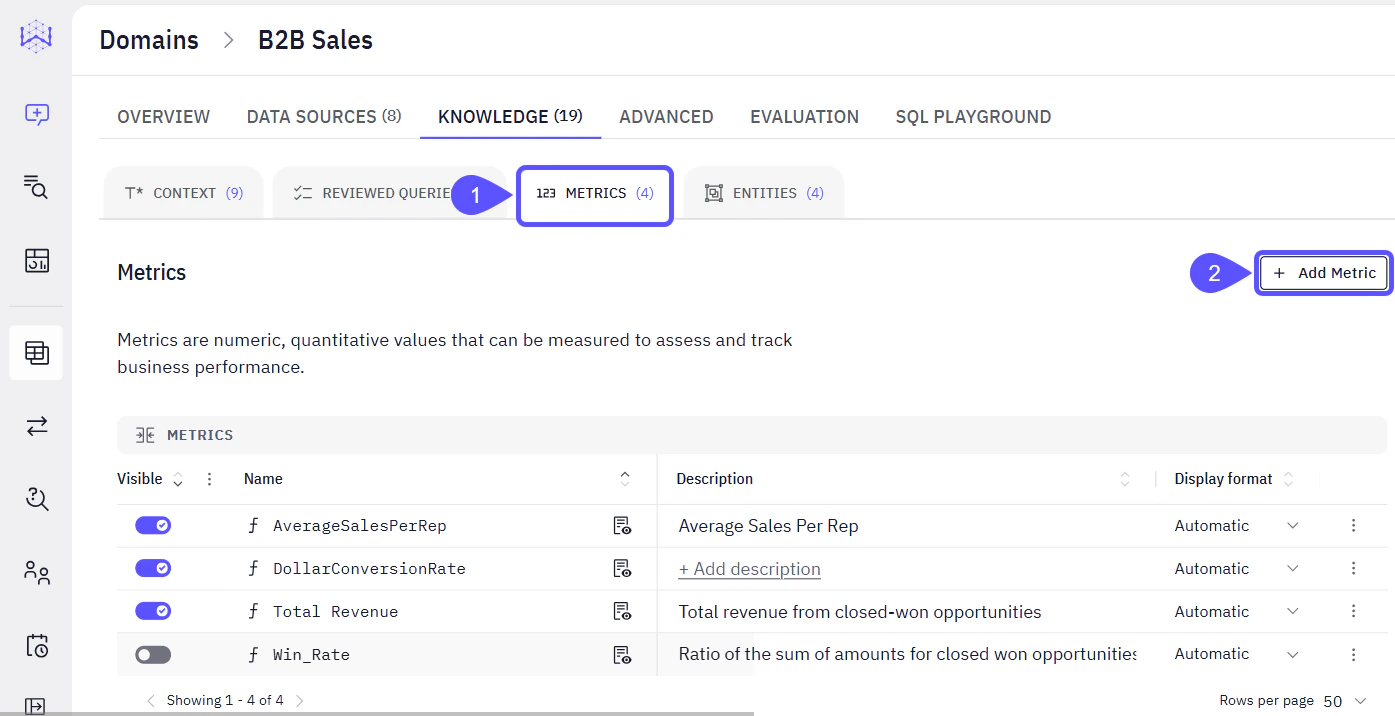
The process of creating a metric in WisdomAI is managed within each specific Domain. Here’s a step-by-step guide:- Navigate to the Metrics Tab within a Domain.
- Select the relevant Domain (e.g., “B2B Sales”) > go to the Knowledge tab > click Metrics.
- Click the Add Metric button.
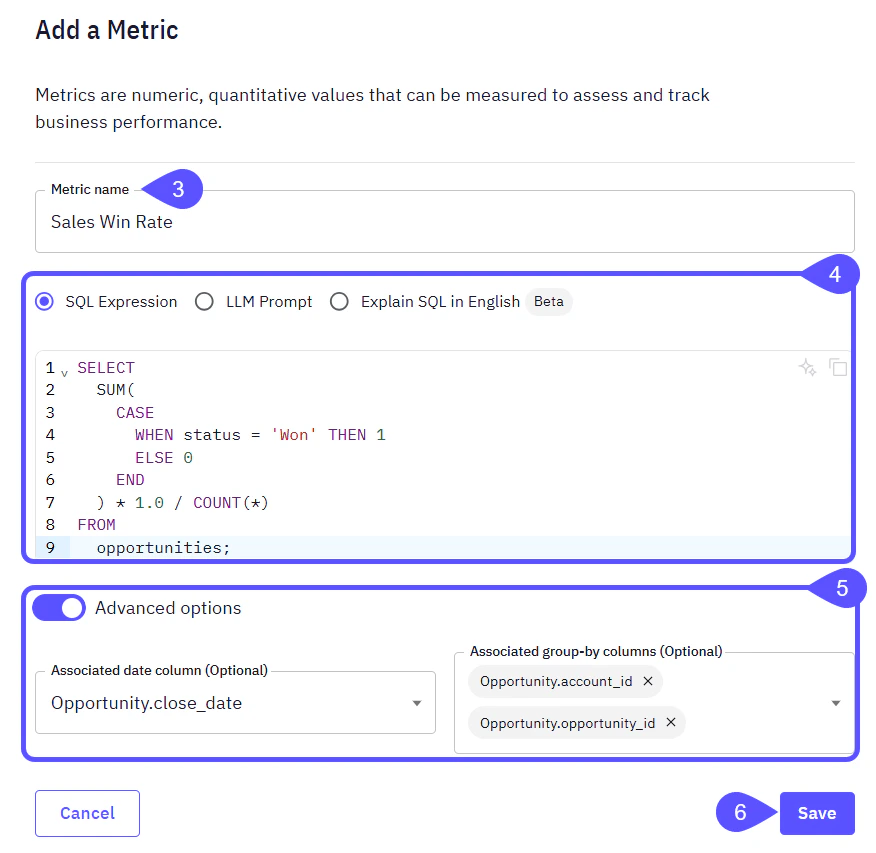
- In the Add a Metric modal window that opens, provide your metric a clear, concise name that accurately describes what it measures.
- Select a Calculation Method and then input your SQL expression, LLM prompt, or English explanation in the corresponding area.
- (If SQL was chosen) Toggle the Advanced Options switch to access additional configurations:
- Associated date column: (Optional) This allows you to specify a date column in your data that is relevant to this metric. This is particularly useful for time-based analyses, filtering by date, or for metrics that inherently track changes over time.
- Associated group-by columns: (Optional) Here, you can pre-define columns that are commonly used for grouping or segmenting this metric. (e.g. account State, customer ID)
- Once you have configured your metric, click Save to add it to your Domain’s metrics list.
Sales Metrics Examples
When you create metrics, you define the SQL expression that dictates how the metric is calculated from your raw data. This allows for precise data analysis. Once defined, they will appear in your Metrics list with their descriptions and display formats. Here are some practical examples of sales metrics and how they might be configured.
By effectively defining and utilizing metrics within your chosen Domains, you can gain deeper insights into your operations and make data-driven decisions that propel your business forward.