Connect the Repository/Dataset
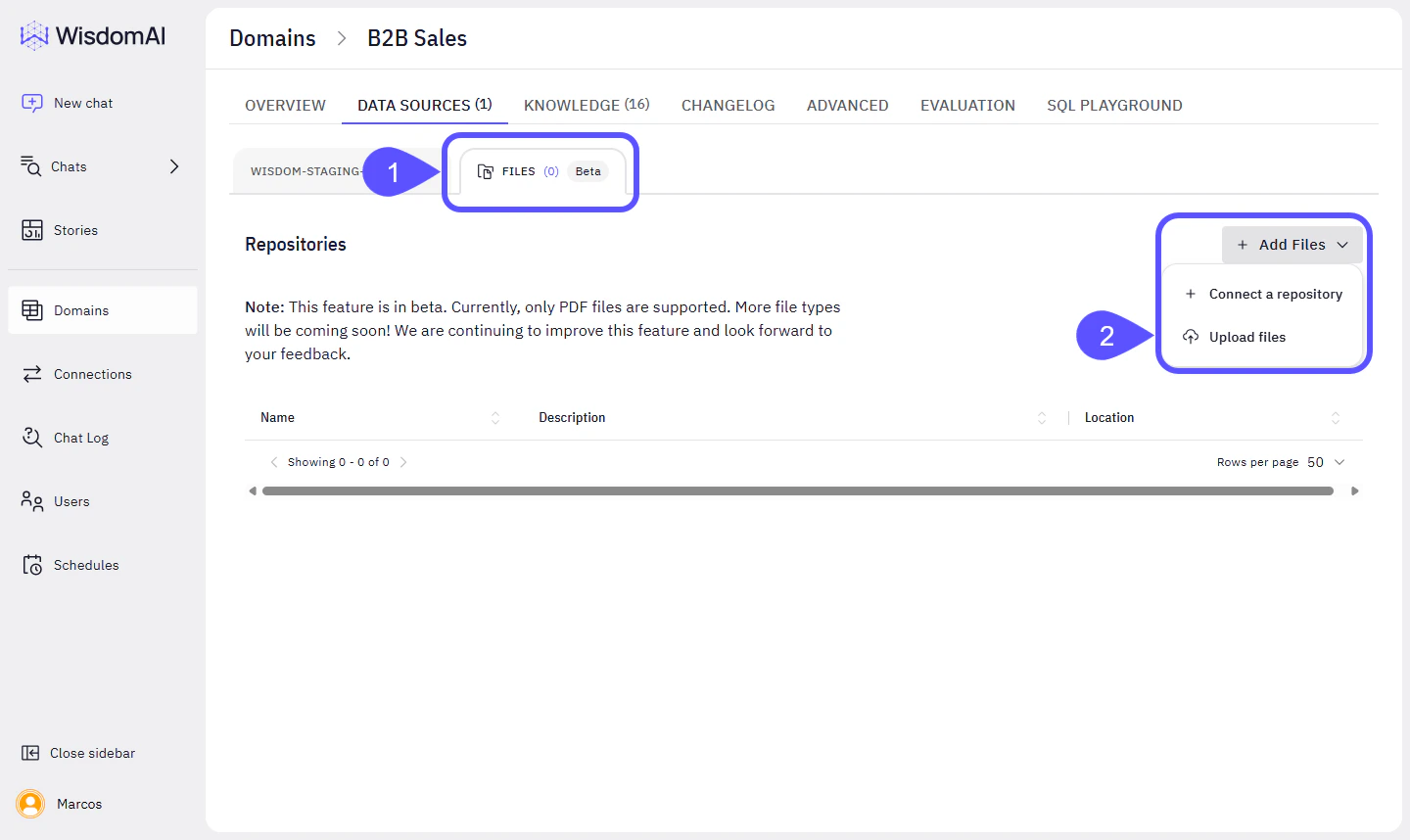
Follow the steps below to connect your Amazon S3 Bucket.- On your desired domain, go to Data Sources > Files.
-
Click on Add Files > Connect a Repository.
-
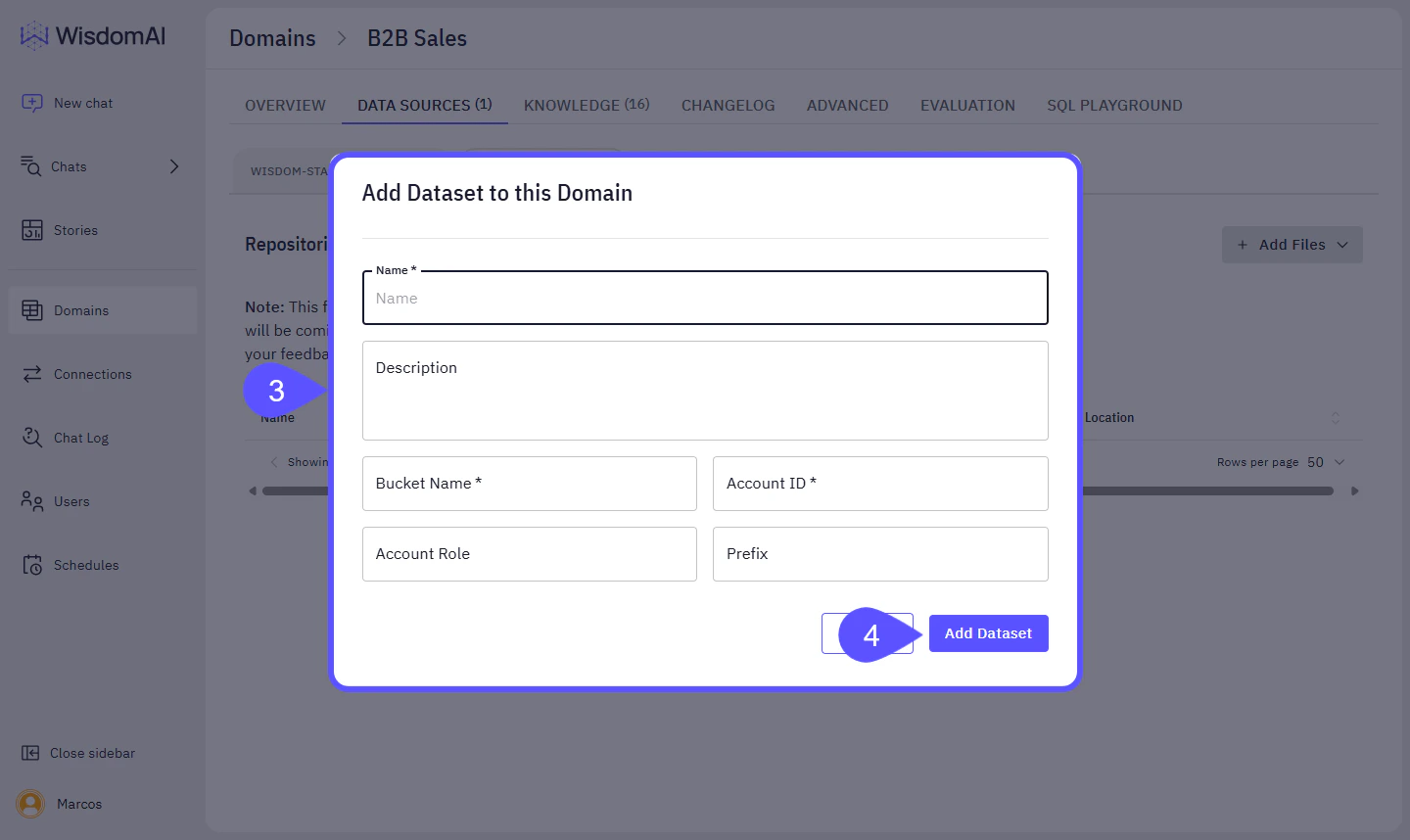
Fill the configuration modal with the following:
- Name: Name you want the linked s3 dataset to show up in Wisdom.
- Bucket Name: Bucket where your files are stored
- Account ID: The AWS account ID that has access to the bucket.
- Account Role (Optional): If a specific role is needed for the access
- Prefix (Optional): If you want to restrict access to a specific prefix in the S3 bucket.
-
Click Add Dataset.