> ## Documentation Index
> Fetch the complete documentation index at: https://wisdomai-add-trigger-agent-api.mintlify.site/llms.txt
> Use this file to discover all available pages before exploring further.
# Share Stories and Set Access Control
You can share Stories with your entire team or grant access to specific users.
Use the sharing option to:
* Collaborate across teams.
* Ensure key stakeholders have access to relevant, real-time data.
* Control who can view and interact with each Story.
Follow this guide to learn how to share Stories.
## Share a Story and Set its Access
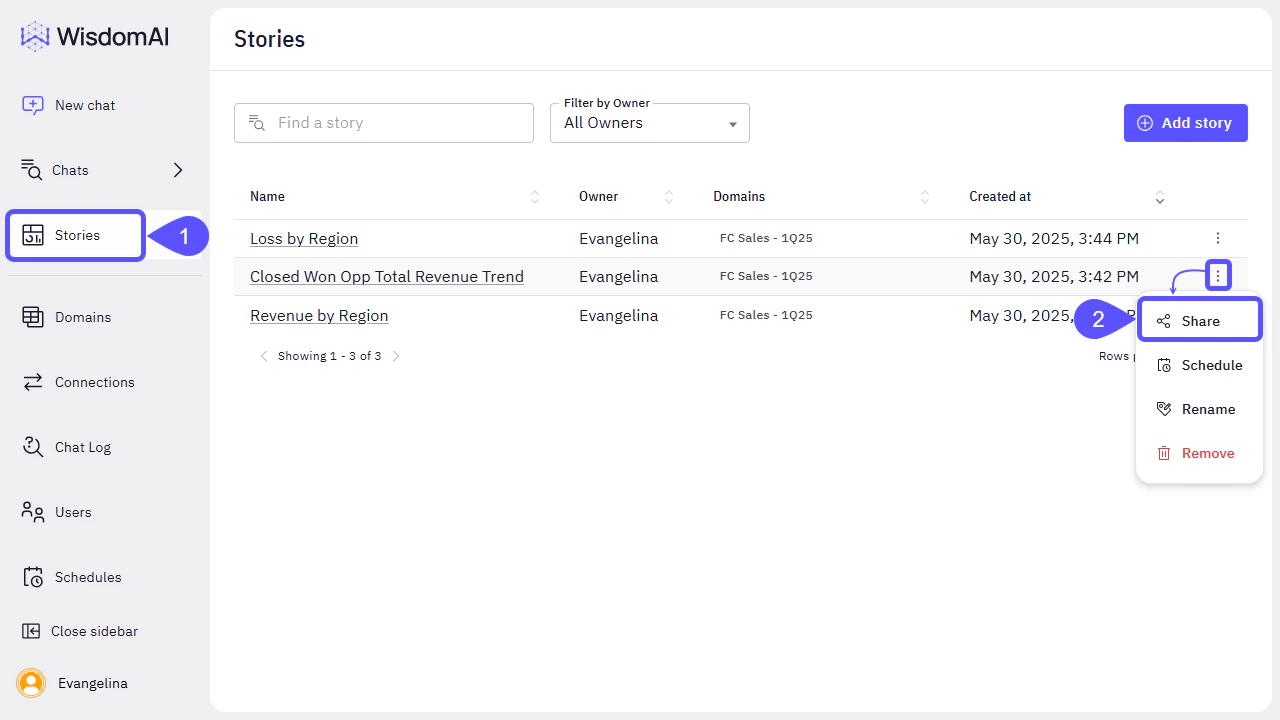
1. Navigate to the **Stories** section in the left sidebar.
2. Find the Story you would like to share, click on the kebab menu icon and select **Share**.
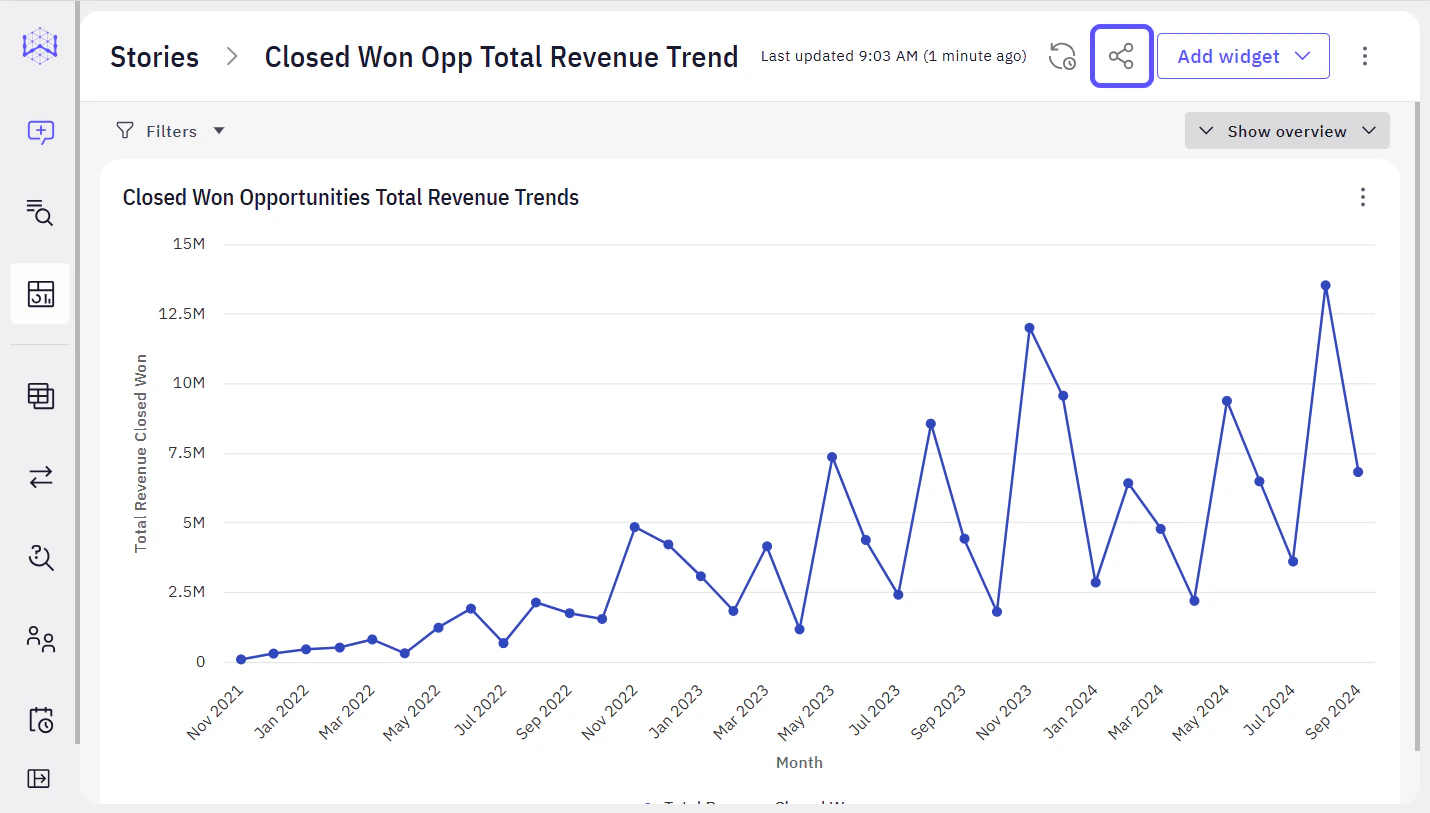
 You can also share the Story you are working on by clicking on the Share icon in the toolbar.
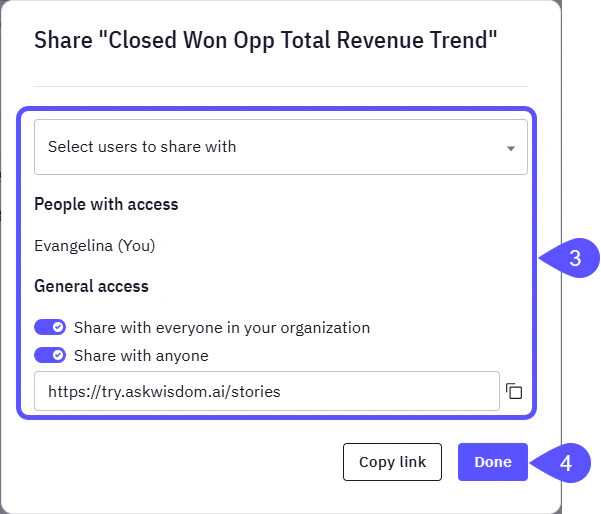
 3. In the modal window that opens, you can choose from the following options:
* **Select users to share with**. (In this case, only those specific users will gain access to view the Story).
* Set a **General Access**. In this case, you can enable any of the following options :
* **Share your Story with everyone in your organization**, so all the members will have access to it.
* **Share with anyone**. Copy the link provided below this option and share it with everyone that you want to have access to the Story.
4. Click **Done** to save your changes.
3. In the modal window that opens, you can choose from the following options:
* **Select users to share with**. (In this case, only those specific users will gain access to view the Story).
* Set a **General Access**. In this case, you can enable any of the following options :
* **Share your Story with everyone in your organization**, so all the members will have access to it.
* **Share with anyone**. Copy the link provided below this option and share it with everyone that you want to have access to the Story.
4. Click **Done** to save your changes.
 ## Next Steps
* [Turn Answers into Stories](/using-wisdom-ai-everyday/turn-answers-into-stories)
* [Schedule Story Notifications](/using-wisdom-ai-everyday/schedule-story-notifications)
## Next Steps
* [Turn Answers into Stories](/using-wisdom-ai-everyday/turn-answers-into-stories)
* [Schedule Story Notifications](/using-wisdom-ai-everyday/schedule-story-notifications)