> ## Documentation Index
> Fetch the complete documentation index at: https://wisdomai-add-trigger-agent-api.mintlify.site/llms.txt
> Use this file to discover all available pages before exploring further.
# Monitor Negative Feedback
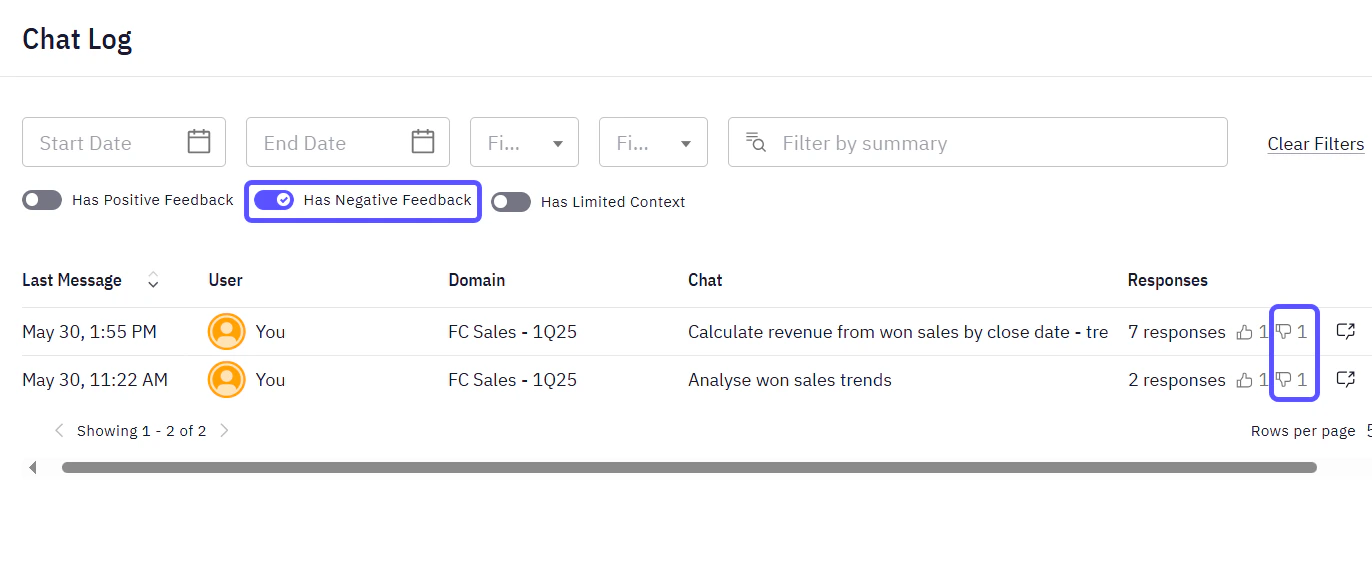
Administrators are responsible for reviewing and acting upon the negative feedback provided by all users. View a list of responses with negative feedback by navigating to the **Chat Log** tab within the WisdomAI interface and switching the **Has Negative Feedback** toggle.
 ## Get Email Notifications
The system automatically channels negative feedback to administrators via email, ensuring prompt attention to issues that require intervention.
## Get Email Notifications
The system automatically channels negative feedback to administrators via email, ensuring prompt attention to issues that require intervention.
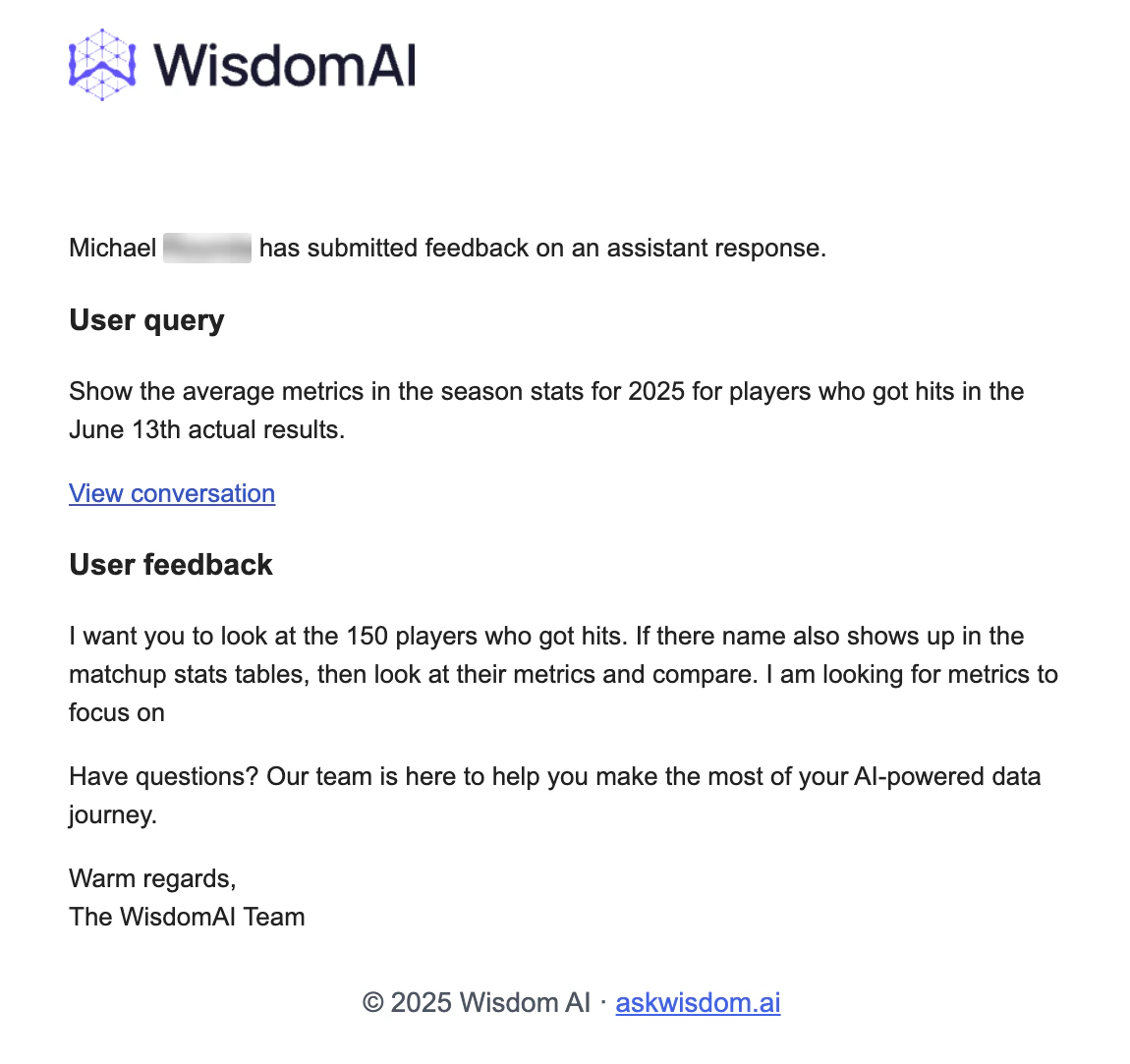 This is a Beta feature, reach out support at [support@askwisdom.ai](mailto:support@askwisdom.ai) to sign up for email notifications when negative feedback is submitted.
## Best Practices when you see Negative Feedback
1. If the issue is just an incorrect SQL, you can [fix the SQL and thumbs up](https://docs.askwisdom.ai/setting-up-wisdom-ai/feedback-mechanisms/provide-feedback-to-the-system#advanced-feedback-mechanisms-for-administrators) the response.
2. If it is an understanding gap, which is generally applicable, then you should [add a knowledge item](https://docs.askwisdom.ai/setting-up-wisdom-ai/advanced-tutorial-fine-tuning-your-context#adding-context).
3. If this is some kind of feedback on the WisdomAI product, contact [support@askwisdom.ai](mailto:support@askwisdom.ai).
For Domains with high usage or complex data, it is highly recommended to assign a dedicated administrator to regularly review feedback and make necessary updates to the knowledge base, ensuring continuous optimal performance.
## Next steps
* [Turn Answers into Stories](/using-wisdom-ai-everyday/turn-answers-into-stories)
* [Limited Context](/setting-up-wisdom-ai/feedback-mechanisms/limited-context)
* [Provide Feedback to the System](/setting-up-wisdom-ai/feedback-mechanisms/provide-feedback-to-the-system)
This is a Beta feature, reach out support at [support@askwisdom.ai](mailto:support@askwisdom.ai) to sign up for email notifications when negative feedback is submitted.
## Best Practices when you see Negative Feedback
1. If the issue is just an incorrect SQL, you can [fix the SQL and thumbs up](https://docs.askwisdom.ai/setting-up-wisdom-ai/feedback-mechanisms/provide-feedback-to-the-system#advanced-feedback-mechanisms-for-administrators) the response.
2. If it is an understanding gap, which is generally applicable, then you should [add a knowledge item](https://docs.askwisdom.ai/setting-up-wisdom-ai/advanced-tutorial-fine-tuning-your-context#adding-context).
3. If this is some kind of feedback on the WisdomAI product, contact [support@askwisdom.ai](mailto:support@askwisdom.ai).
For Domains with high usage or complex data, it is highly recommended to assign a dedicated administrator to regularly review feedback and make necessary updates to the knowledge base, ensuring continuous optimal performance.
## Next steps
* [Turn Answers into Stories](/using-wisdom-ai-everyday/turn-answers-into-stories)
* [Limited Context](/setting-up-wisdom-ai/feedback-mechanisms/limited-context)
* [Provide Feedback to the System](/setting-up-wisdom-ai/feedback-mechanisms/provide-feedback-to-the-system)