> ## Documentation Index
> Fetch the complete documentation index at: https://wisdomai-add-trigger-agent-api.mintlify.site/llms.txt
> Use this file to discover all available pages before exploring further.
# Connect Unstructured Repositories or Datasets
WisdomAI allows you to connect your domain to an unstructured repository or dataset from an Amazon S3 bucket, thereby enhancing your chatbot responses and ensuring the AI understands the underlying structure of your information.
## Connect the Repository/Dataset
Follow the steps below to connect your Amazon S3 Bucket.
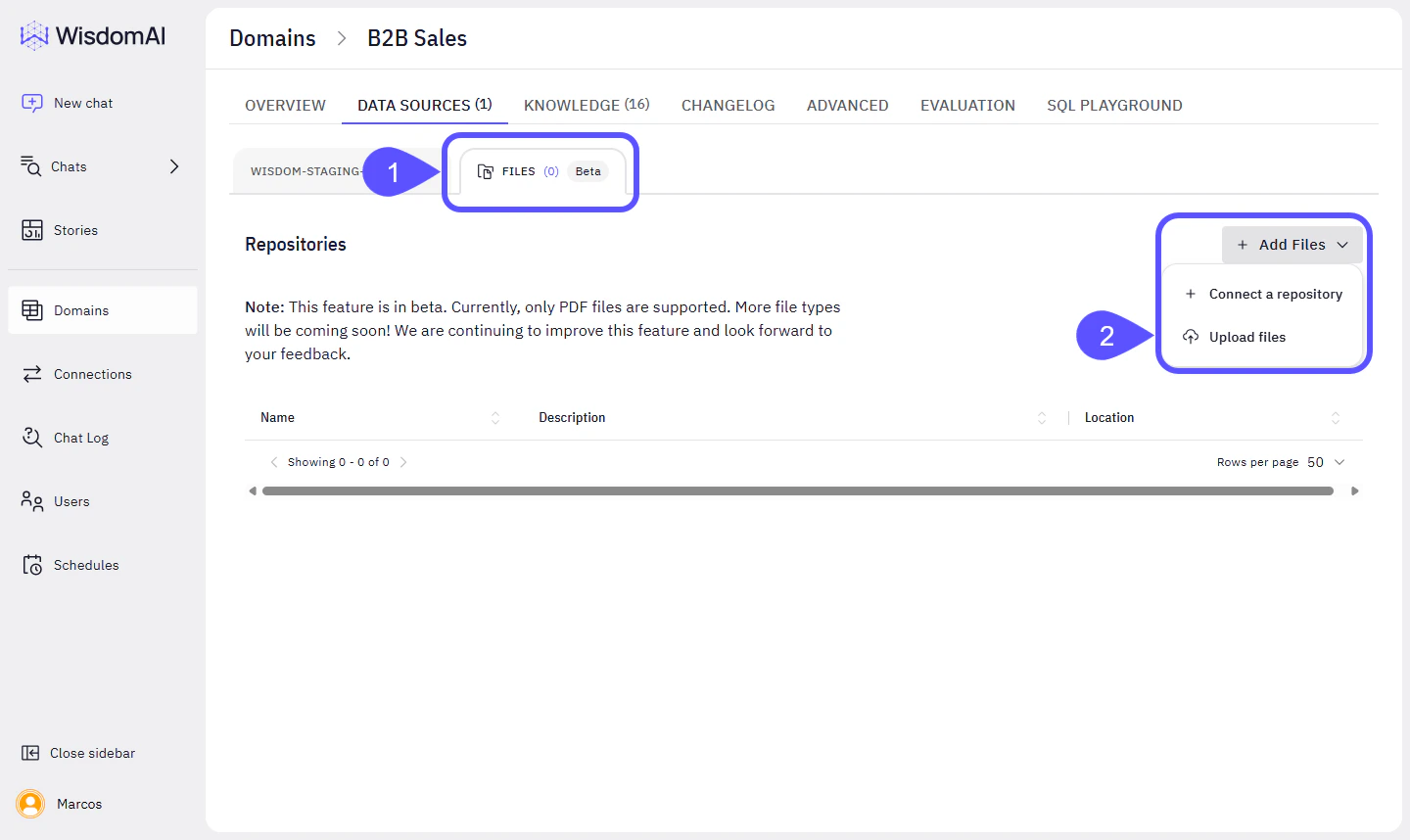
1. On your desired domain, go to **Data Sources > Files**.
2. Click on **Add Files > Connect a Repository**.
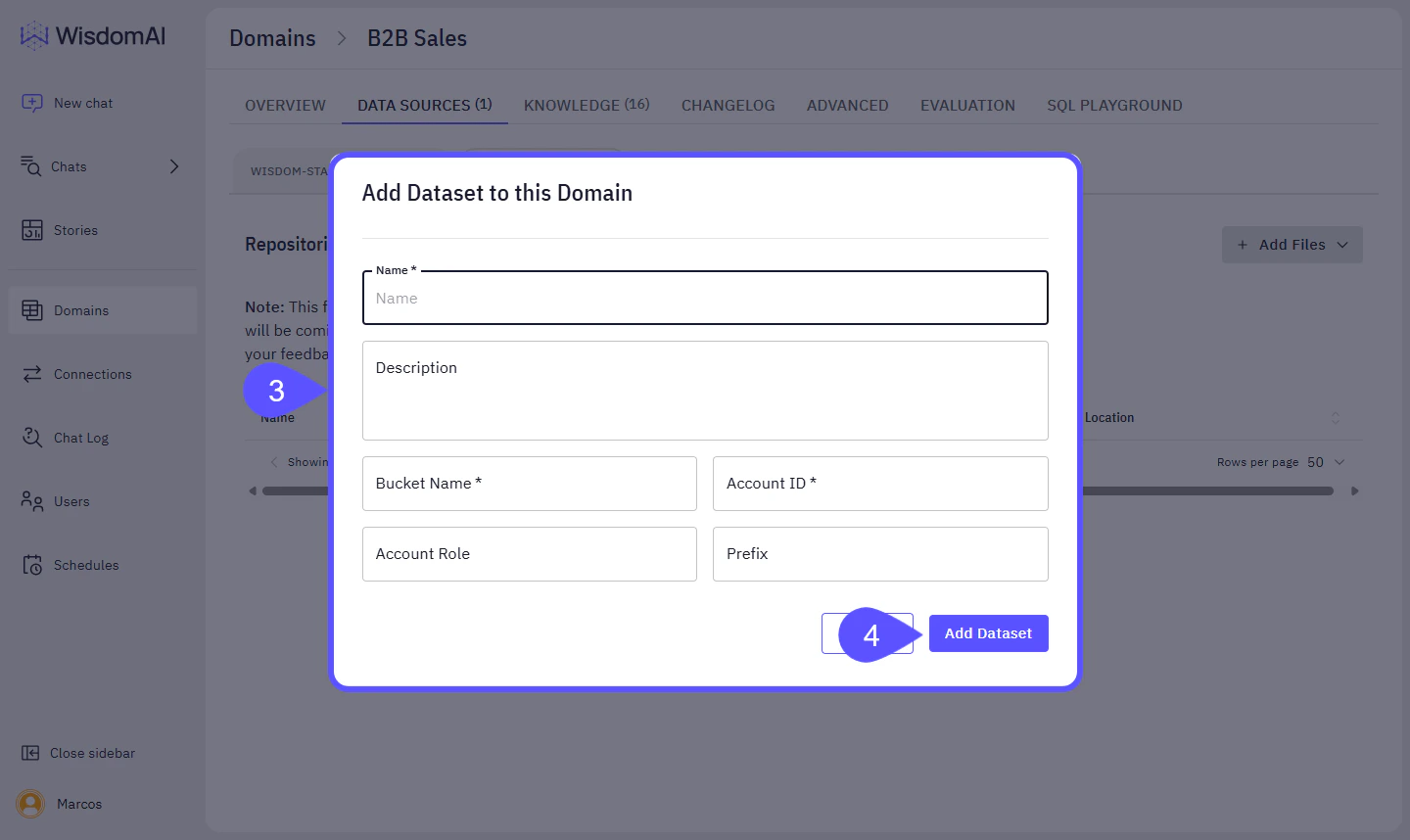
 3. Fill the configuration modal with the following:
* **Name**: Name you want the linked s3 dataset to show up in Wisdom.
* **Bucket Name**: Bucket where your files are stored
* **Account ID**: The AWS account ID that has access to the bucket.
* **Account Role** (Optional): If a specific role is needed for the access
* **Prefix** (Optional): If you want to restrict access to a specific prefix in the S3 bucket.
4. Click **Add Dataset**.
3. Fill the configuration modal with the following:
* **Name**: Name you want the linked s3 dataset to show up in Wisdom.
* **Bucket Name**: Bucket where your files are stored
* **Account ID**: The AWS account ID that has access to the bucket.
* **Account Role** (Optional): If a specific role is needed for the access
* **Prefix** (Optional): If you want to restrict access to a specific prefix in the S3 bucket.
4. Click **Add Dataset**.
 The linked Dataset will show up in the **Files** tab.
## Next Steps
* [Configure Domains](/improve-wisdom-ai-responses/configure-domains)
* [Curate Knowledge Workflow](/improve-wisdom-ai-responses/curate-knowledge-workflow)
* [Basic Tutorial: Connect and Test](/setting-up-wisdom-ai/basic-tutorial-connect-and-test)
* [Advanced Data Modeling: Creating Knowledge](/setting-up-wisdom-ai/advanced-data-modeling-creating-knowledge)
The linked Dataset will show up in the **Files** tab.
## Next Steps
* [Configure Domains](/improve-wisdom-ai-responses/configure-domains)
* [Curate Knowledge Workflow](/improve-wisdom-ai-responses/curate-knowledge-workflow)
* [Basic Tutorial: Connect and Test](/setting-up-wisdom-ai/basic-tutorial-connect-and-test)
* [Advanced Data Modeling: Creating Knowledge](/setting-up-wisdom-ai/advanced-data-modeling-creating-knowledge)